How to verify your paper
WordNorms uses an AI model to extract key information from language resource papers — things like what norms were collected, how many stimuli were used, and what kind of participants were tested. We invite authors to review and correct this information so the database stays accurate, and we have training data to create better models. This guide walks you through the process.
Create an account
You need a WordNorms account to submit corrections. Go to manynorms.wordnorms.com/signup and create a free account using your email address. If you already have an account, just log in.
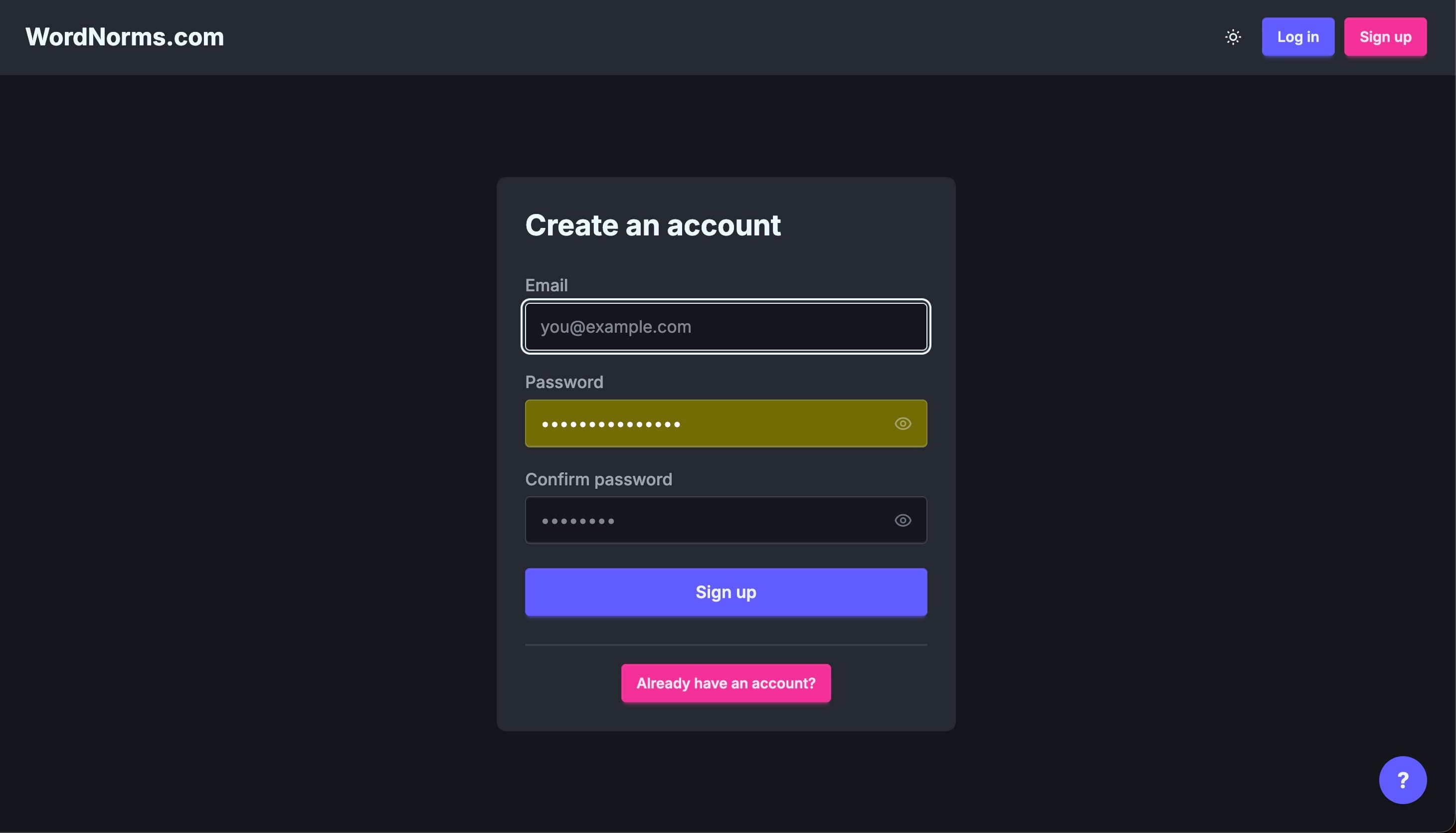
Find your paper
If you received an email from us, it includes a direct link to your paper — click it to go straight to the verification page. You can also search for your paper from the home page by typing your name or paper title into the search bar.
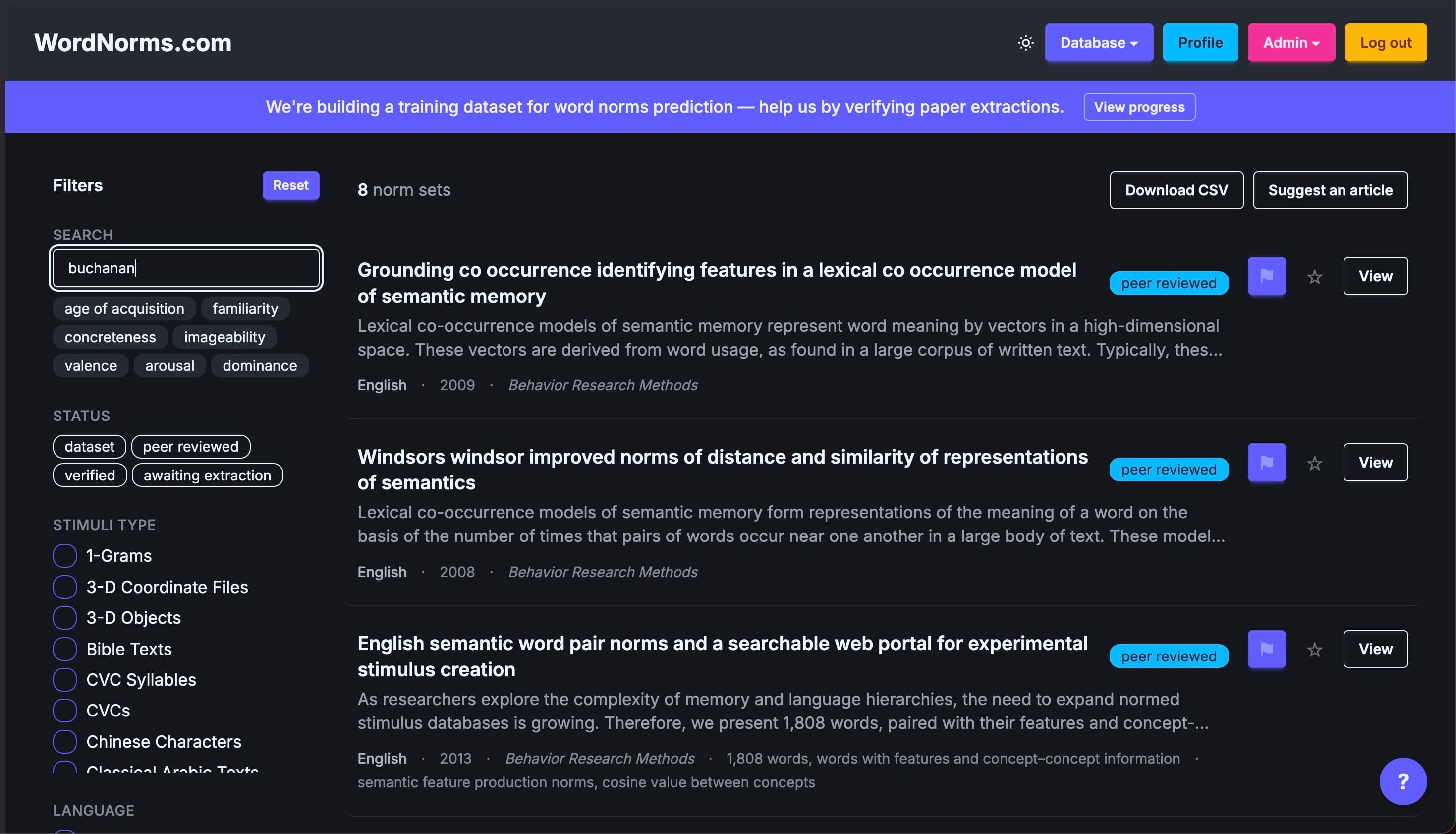
Review the extracted information
The paper detail page shows everything our model extracted: language, norms collected, stimuli type and count, participant type and count, instructions, and more. Note that all of this is automatically extracted by our model, so it may not be correct — that's why we need your help to verify it. Even if a value is right, it may be missing the evidence sentence that supports it, which you can add to help train better models.
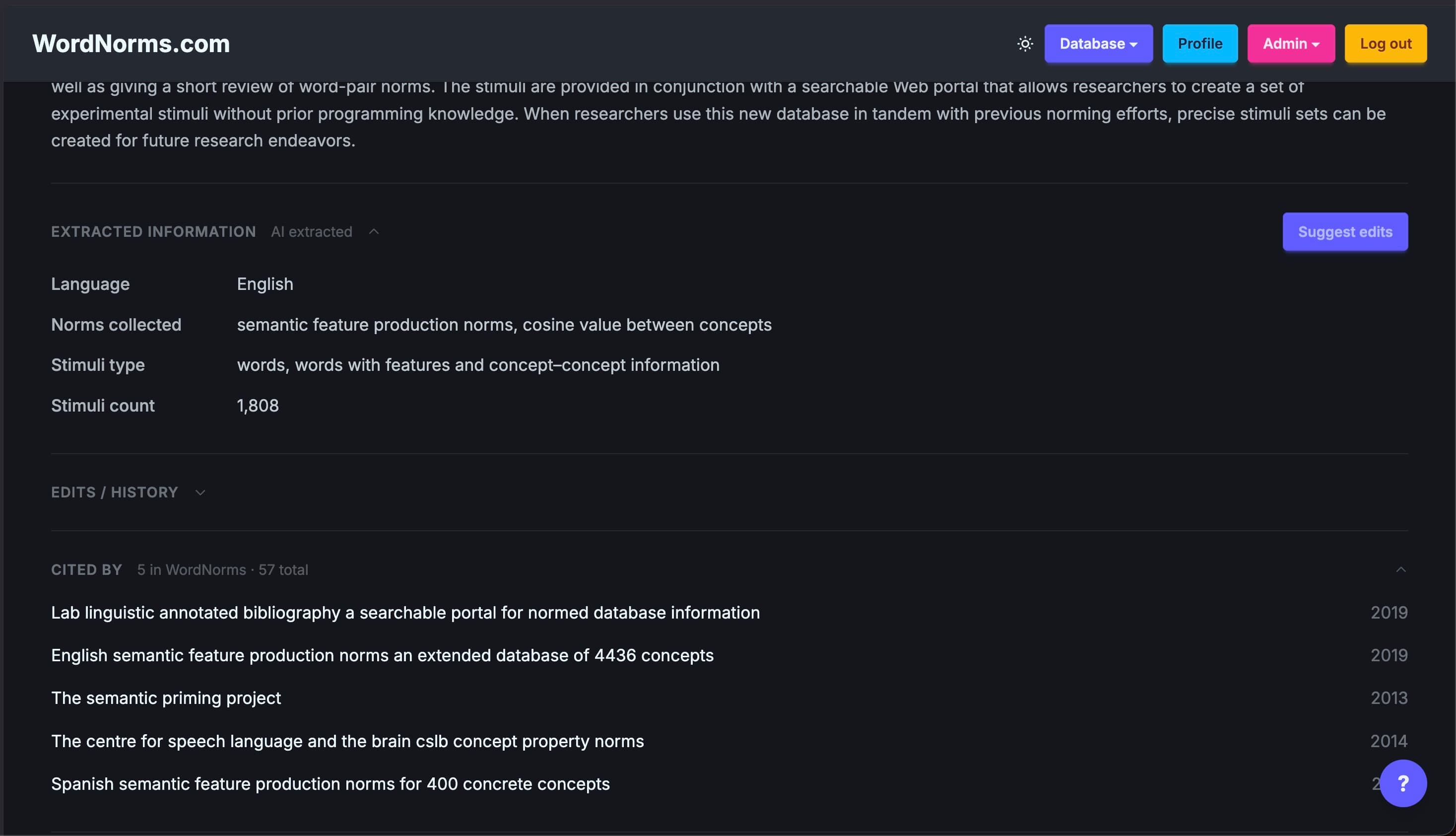
Click Suggest edits in the top-right corner of the Extracted information section to open the correction form.
Correct any fields that are wrong
The correction page has two panels: the form on the left and the full paper text on the right for reference. Each field shows the model's answer and the evidence — the sentence it used to arrive at that answer. Below those, you enter your own answer and evidence.
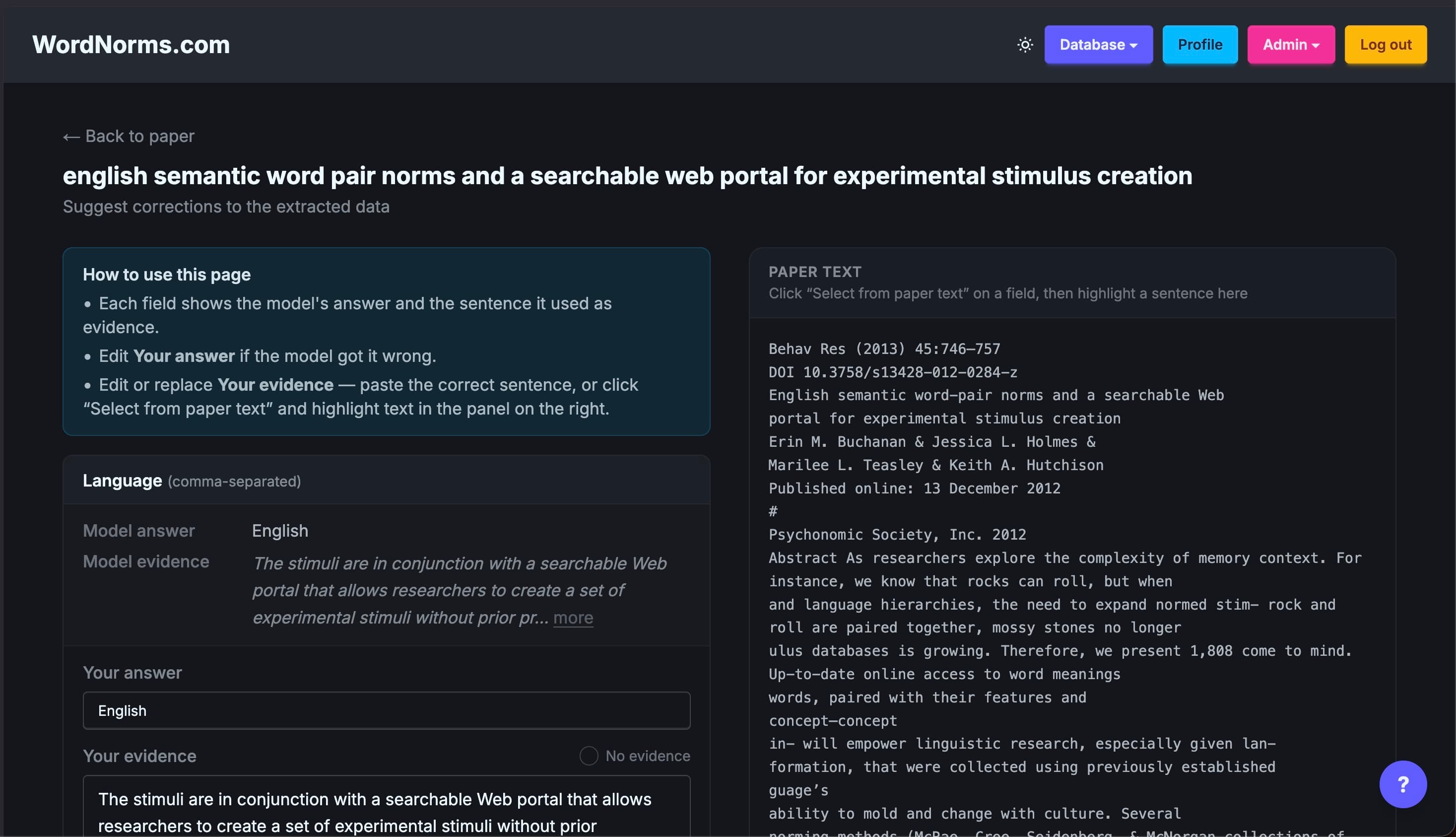
If the model got a field right, you can leave your answer as-is. If it's wrong, update Your answer to the correct value. For Your evidence, paste the sentence(s) from the paper that support your answer, or click Select from paper text and highlight the sentence directly in the right panel — it will be captured automatically.
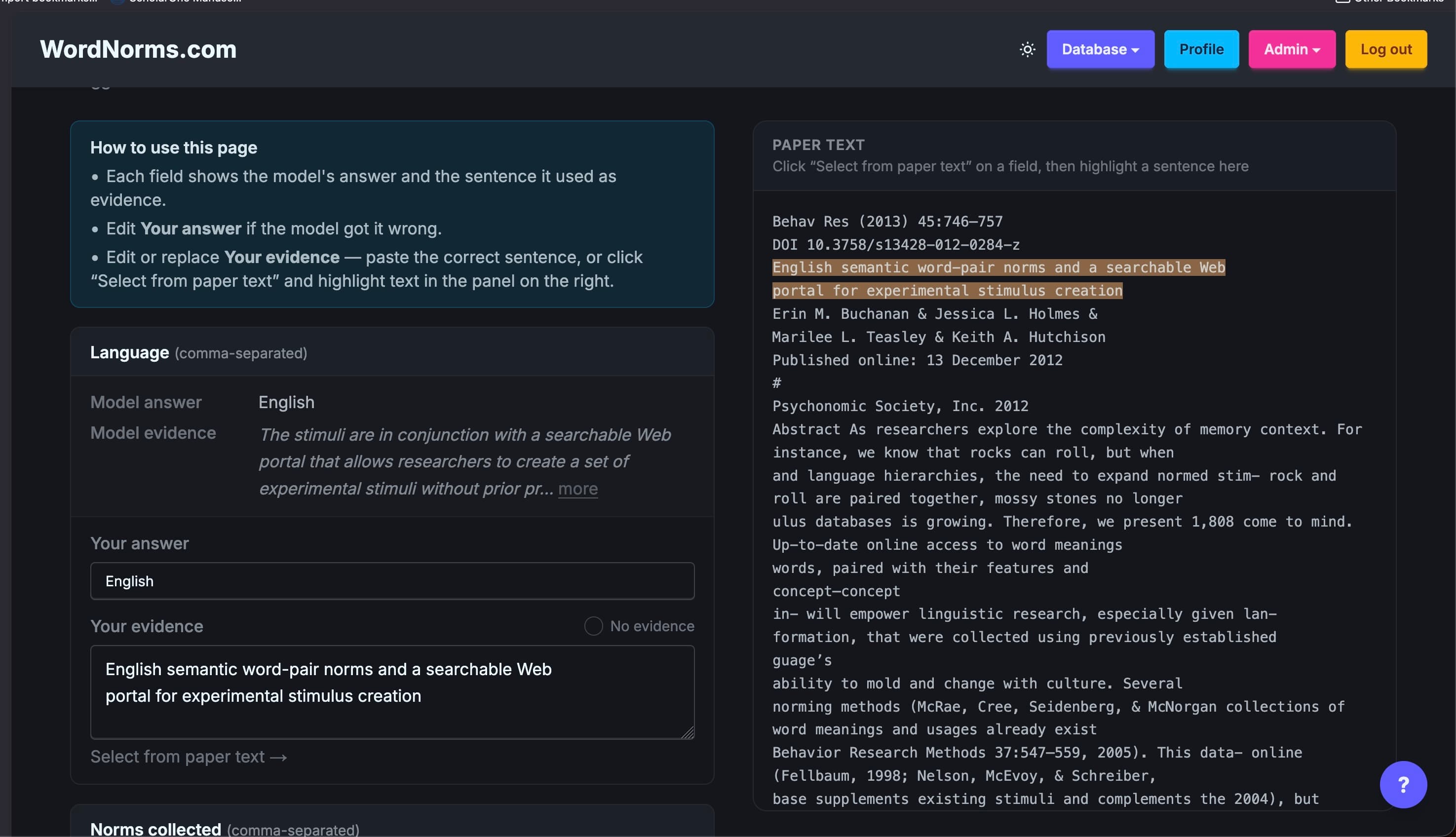
If the supporting text isn't in the main manuscript — for example, the participant count wasn't reported, or the evidence is only in a supplement — check the No evidence box instead of leaving the evidence blank. You can still enter the correct answer in the Your answer field if you know it; we just won't use that field for model training since there's no text to learn from.
Add a note and submit
At the bottom of the form you can add an optional Note to explain anything unusual about your corrections — for example, if a value only appears in a supplement or if the paper has two experiments with different counts. You can also add a dataset URL if the data is hosted somewhere. When you're done, click Submit suggestion.
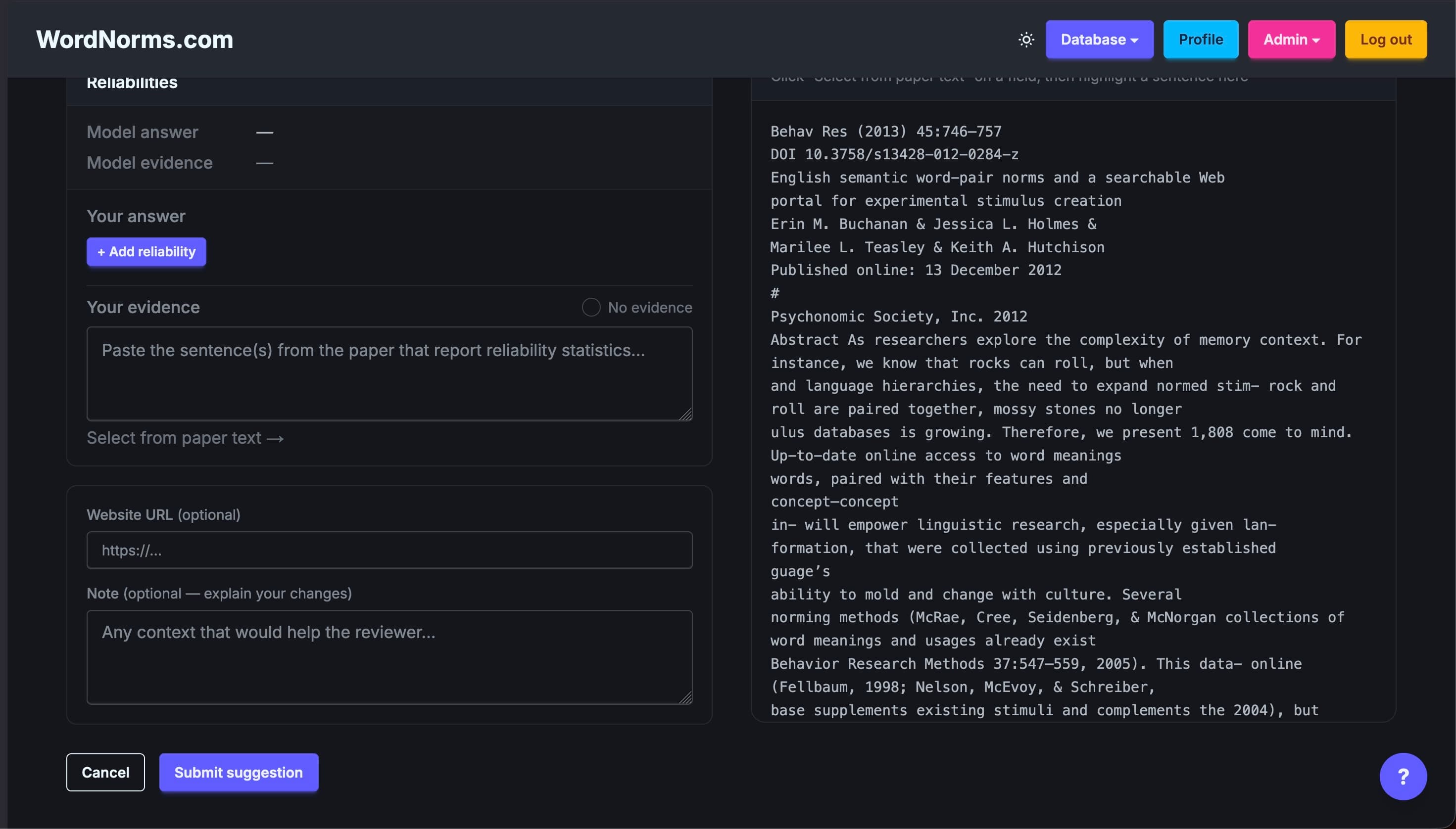
Your corrections will be reviewed by our team and applied to the database. You can come back later to update your suggestion — just return to the paper page and click Edit suggestion submitted ✓.
Questions?
Email buchananlab@gmail.com and we'll help you out.